> For the complete documentation index, see [llms.txt](https://docs.clore.ai/llms.txt). Markdown versions of documentation pages are available by appending `.md` to page URLs; this page is available as [Markdown](https://docs.clore.ai/clore.ai/clore.ai-eng-es/para-hosts/advanced/hiveos-integration.md).
# Integración con HiveOS
Esta sección muestra cómo añadir un servidor (rig) a Clore.ai usando HiveOS: preparación del sistema, instalación de Clore Hosting, aplicación del token, inicio de una flightsheet
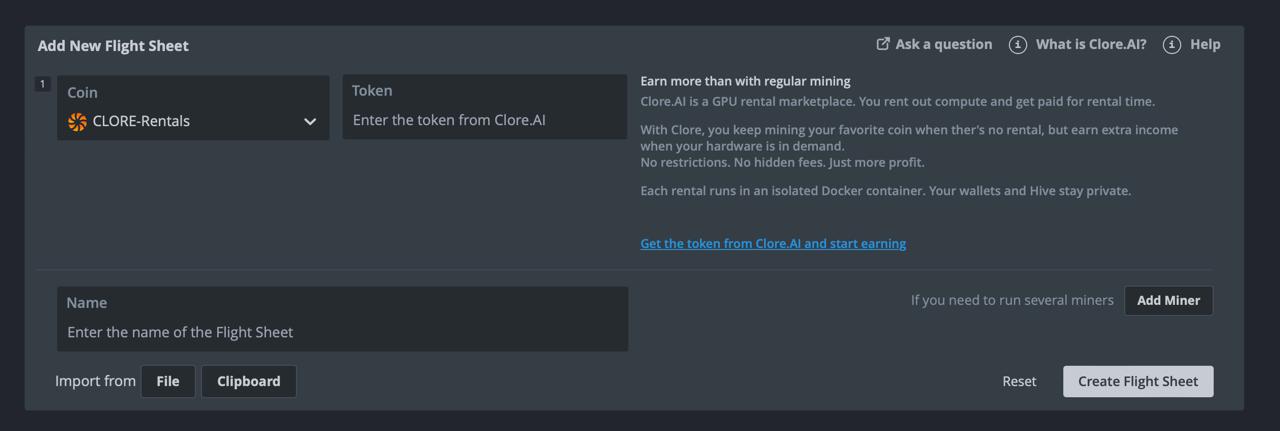
### **Paso 1. Crea una hoja de vuelo y obtén el token**
* Abre **HiveOS → Workers → tu rig → Create Flight Sheet**.
* En la **Moneda** campo, escribe **alquileres de clore** y selecciónalo de la lista.
* Haz clic en **Obtener token**.
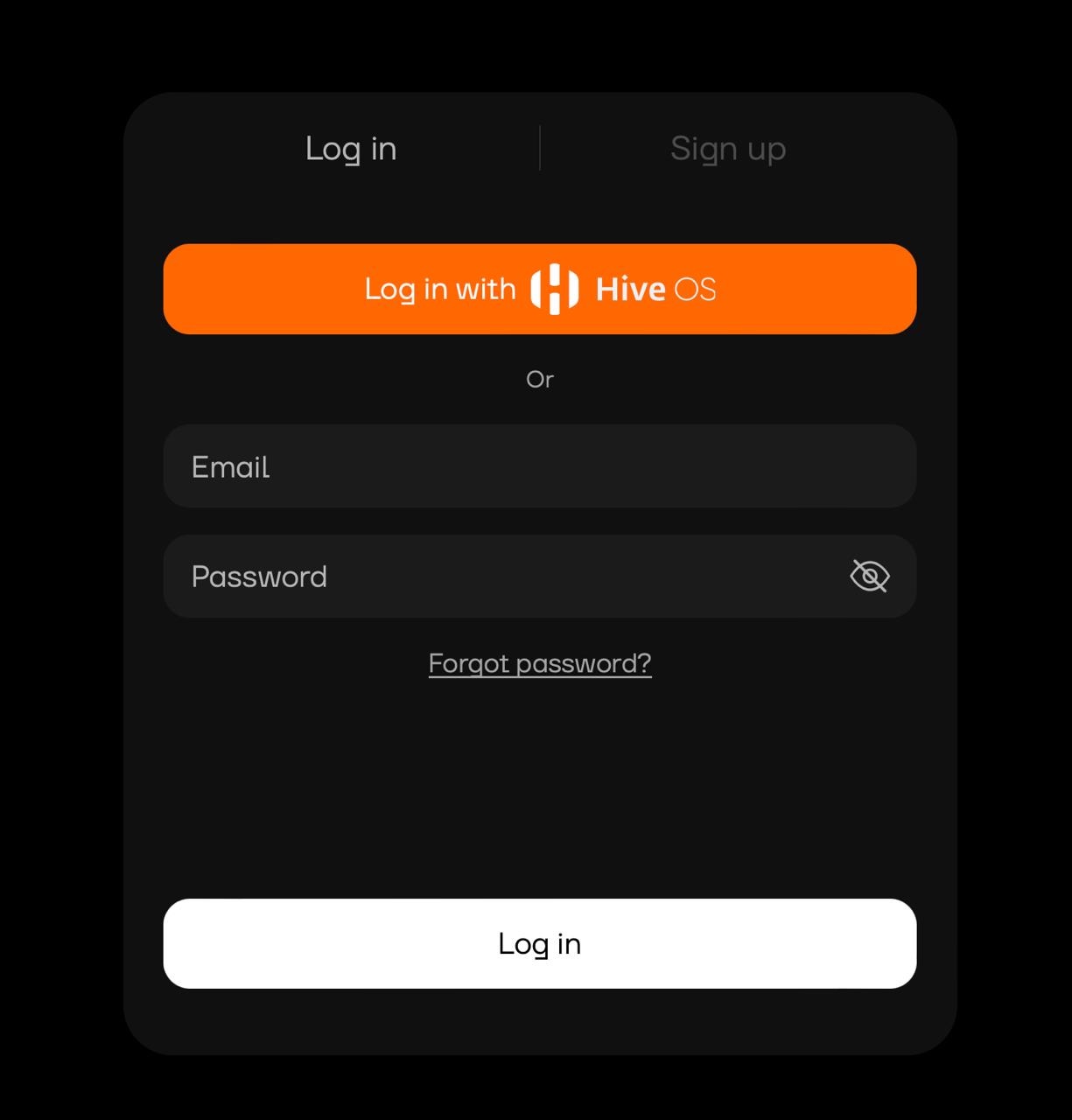
### **Paso 2. Autorízate en Clore.ai a través de HiveOS**
* Después de hacer clic en **Obtener token**, serás redirigido a **Clore.ai**.
* Haz clic en **Iniciar sesión con HiveOS** y aprueba el inicio de sesión.
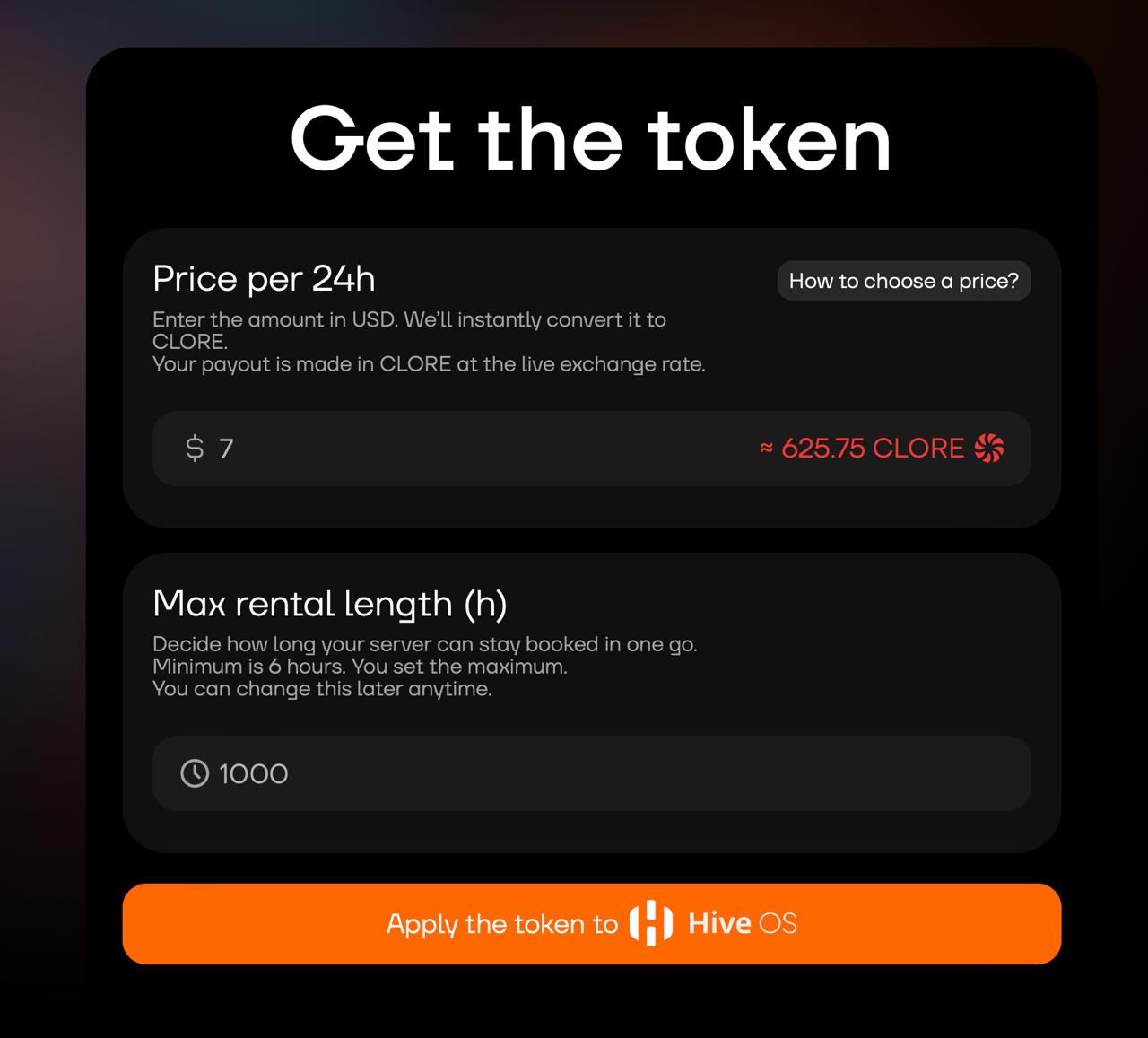
### **Paso 3. Establece el precio/duración y envía el token a HiveOS**
* Establece la **precio** y **duración máxima del alquiler**.
* Haz clic en **Aplica el token a HiveOS** — el token se rellenará automáticamente en el **Cartera** campo de tu hoja de vuelo de HiveOS.
* Vuelve a HiveOS y continúa completando la hoja de vuelo.
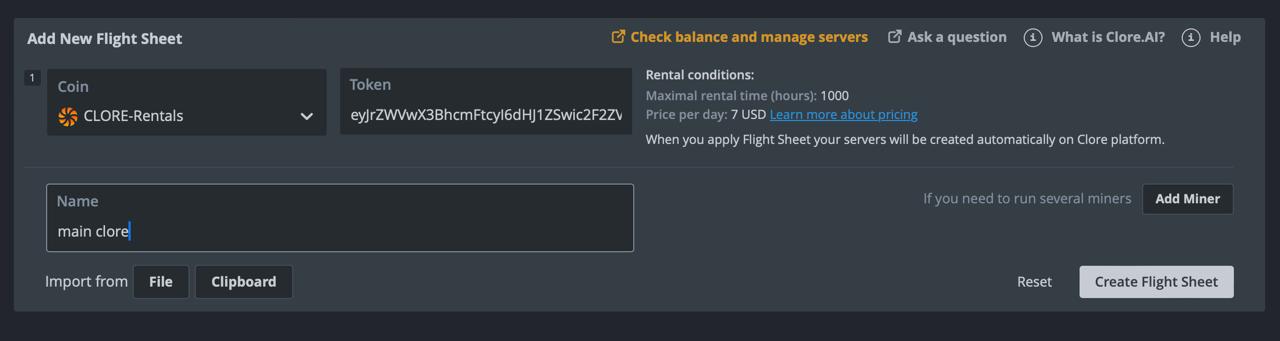
### **Paso 4. Crea la hoja de vuelo**
* En HiveOS, haz clic en **Create Flight Sheet**.
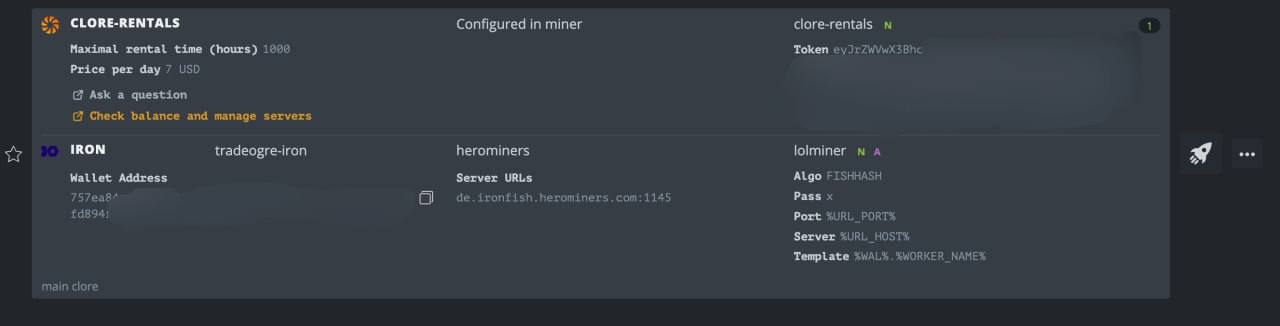
* Verifica que la **Cartera** contiene tu token y **Moneda: alquileres de clore** está seleccionada.
* Haz clic en **Crear**.
### **Paso 5. Aplica la hoja de vuelo a las granjas**
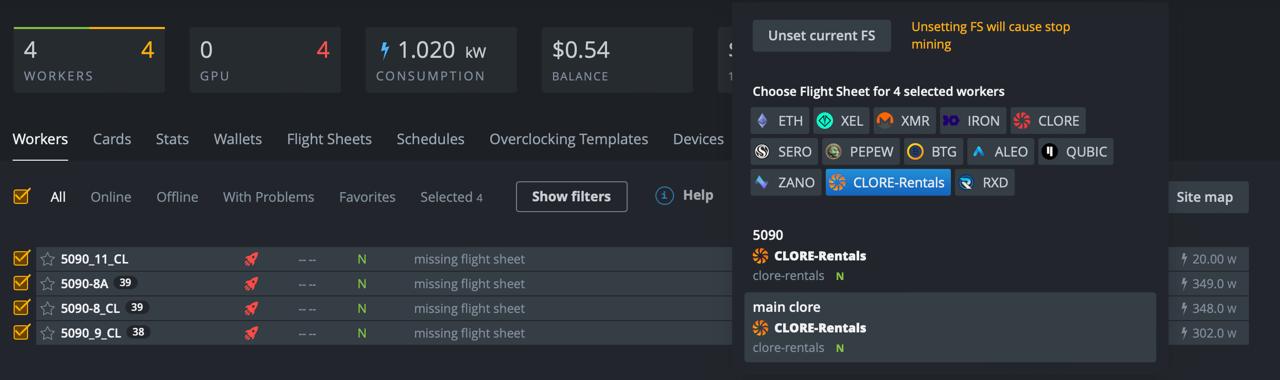
* Abre **HiveOS → Farms** y ve a la lista de workers.
* Selecciona las granjas/workers necesarios (usa **Seleccionar todo** si es necesario).
* Haz clic en el **Rocket / Apply** acción.
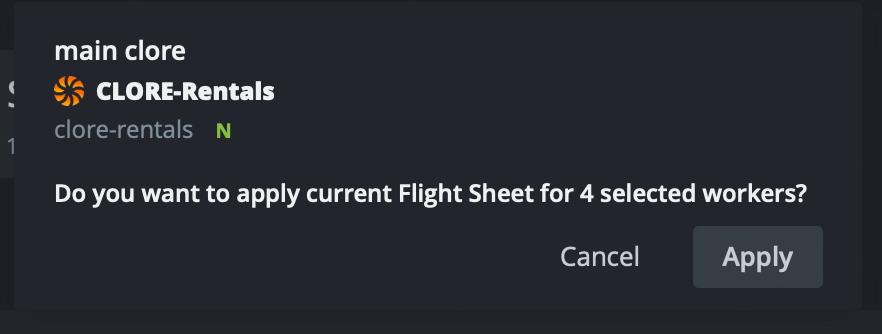
* En el menú desplegable, elige la **Flight Sheet** creada y haz clic en **Aplicar a los seleccionados**.
Listo. Buen trabajo — ahora ve a [**Clore.ai**](https://clore.ai/my-servers) y gestiona todo lo demás en **Marketplace → My Servers**.
### Minería en reposo
Tienes dos opciones:
* Si tu servidor ya aparece en “My Servers” en nuestro sitio y está en línea — simplemente desactiva la hoja de vuelo clore.rental en HiveOS y aplica tu propia hoja de vuelo de minería para la minería en reposo.
* Añade un segundo minero a nuestra hoja de vuelo clore.rental — edita la hoja en HiveOS, haz clic en Add miner, configura tu moneda/pool/minero y guarda. Se ejecutará cuando el rig no esté alquilado.
---
# Agent Instructions
This documentation is published with GitBook. GitBook is the documentation platform designed so that both humans and AI agents can read, navigate, and reason over technical content effectively. Learn more at gitbook.com.
## Querying This Documentation
If you need additional information that is not directly available in this page, you can query the documentation by asking a question.
Perform an HTTP GET request on the following URL with the `ask` and `goal` query parameters:
```
GET https://docs.clore.ai/clore.ai/clore.ai-eng-es/para-hosts/advanced/hiveos-integration.md?ask=&goal=
```
`ask` is the immediate question: it should be specific, self-contained, and written in natural language.
`goal` is what the user is ultimately trying to achieve, the reason they need the answer. Sharing it helps GitBook give you a better, more relevant answer. A goal is most helpful when it describes the outcome the user wants rather than restating the question. For example, with `ask=how do I create an API token`, a goal like `automate deployments from our CI pipeline` lets GitBook tailor the answer to that use case.
The response will contain a direct answer to the question and relevant excerpts and sources from the documentation.
Use this mechanism when the answer is not explicitly present in the current page, you need clarification or additional context, or you want to retrieve related documentation sections.